Getting Started with CircuitVerse User Account
While a user can browse through the CircuitVerse contributions and build circuit simulations without creating a CircuitVerse user account, having a CircuitVerse user account empowers a user to do different tasks including:
- Use dashboard to save and manage circuit simulation files
- Fork a live circuit contribution to explore and build upon the work of other users
- Share circuit simulation project files using unique URLs
- Collaborate with different user groups for different group projects
- Embed interactive circuits using iframe within web pages and Google Slides
Create CircuitVerse User Account
CircuitVerse platform supports Google, Facebook, and GitHub sign-in secure authentication systems to reduce the burden of login for the users. Users can get started by signing in with their Google, Facebook, or GitHub Account, or creating a user account using their preferred email address.
You can create an account at: [https://circuitverse.org/users/sign_up]
Login to CircuitVerse User Account
After successfully logging in to the CircuitVerse platform, a user receives different options to manage their circuit simulation projects within CircuitVerse (refer Figure 2.1). Table 2.1 provides a brief description of the available options.
You can login to your account at: [https://circuitverse.org/users/sign_in]
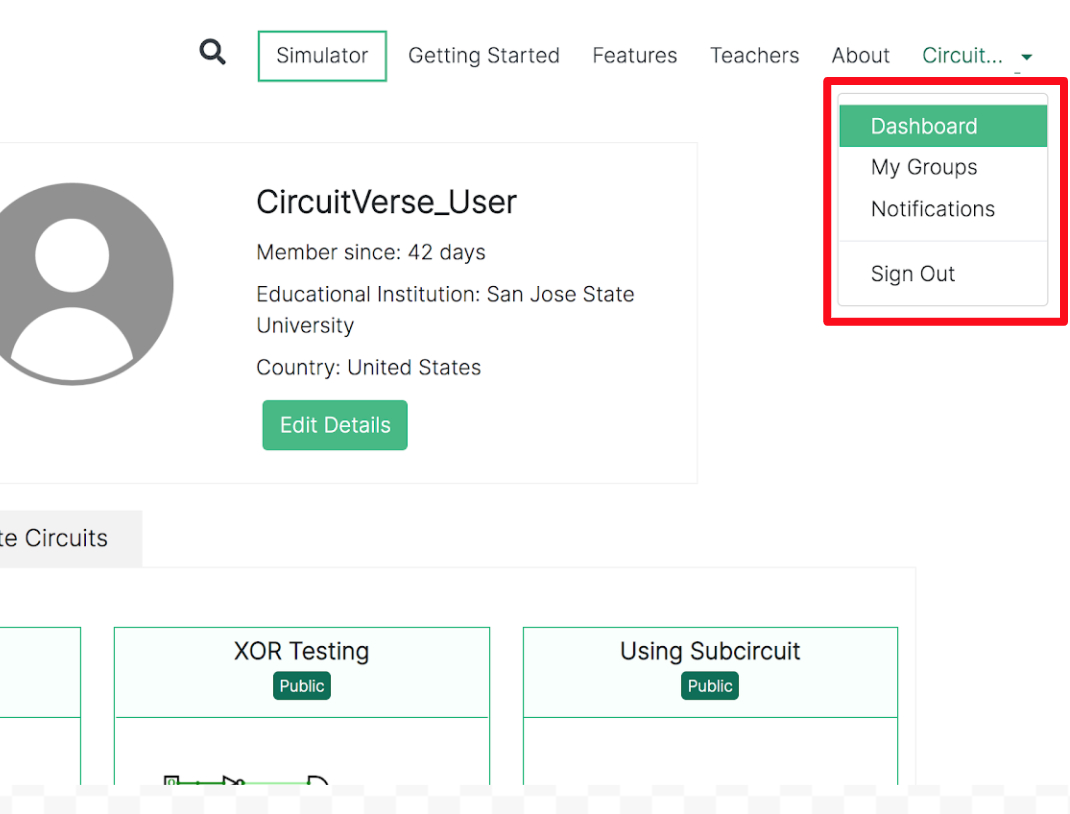
Table 2.1: Description of the CV login drop-down menu
| Name | Description |
| Dashboard |
Some of the key functions include:
|
| My Groups |
Some of the key functions include:
|